What are Photo Editing Apps and Why Use Them?
In today’s visually driven world, the power of a well-edited photograph cannot be overstated. Photo editing apps have revolutionized how we perceive and present images, offering a plethora of tools to enhance, modify, and perfect our photographs. These apps, accessible on smartphones and tablets, empower users to transform ordinary snapshots into stunning visuals, correcting imperfections, adjusting colors, and adding creative effects. The appeal of photo editing apps extends beyond professional photographers, attracting social media enthusiasts, bloggers, and anyone seeking to refine their images before sharing them online. The ability to quickly and easily enhance photos has made these apps indispensable tools for personal and professional use, allowing for greater control over the final aesthetic of an image. From basic adjustments to advanced techniques, photo editing apps offer a versatile platform to express creativity and elevate the visual impact of any photograph.
Top 7 Photo Editing Apps for Teeth Whitening
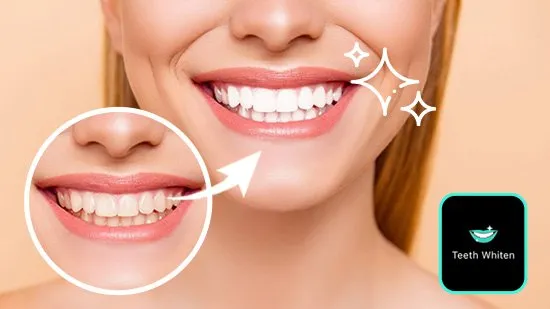
When it comes to enhancing smiles, teeth whitening features in photo editing apps have become incredibly popular. These tools allow users to subtly or dramatically brighten the appearance of their teeth, correcting discoloration and boosting their confidence in photos. The best apps offer user-friendly interfaces, making it easy for both beginners and experienced users to achieve natural-looking results. While many apps include this feature, some stand out due to the quality of their whitening tools, the ease of use, and the additional editing capabilities they provide. Selecting the right app can significantly impact the final look of your photos, ensuring a brighter, more appealing smile without appearing artificial. This guide highlights seven of the best photo editing apps, each with its unique strengths, to help you choose the perfect one for your needs.
Snapseed

Snapseed, developed by Google, is a powerful and free photo editing app that offers a comprehensive suite of tools for enhancing your images. It boasts a user-friendly interface and a wide range of editing options, making it suitable for both beginners and advanced users. While Snapseed doesn’t have a dedicated teeth whitening tool, its selective adjustment feature allows you to target specific areas, such as teeth, and adjust their brightness, contrast, and structure. This enables you to subtly whiten teeth and achieve a natural look. The app’s ability to fine-tune these settings provides precise control over the final result, ensuring a polished and professional finish. Snapseed’s versatility and intuitive design make it a go-to choice for various photo editing tasks, including enhancing smiles.
Facetune
Facetune is specifically designed for portrait editing and is highly regarded for its teeth whitening capabilities. The app features a dedicated teeth whitening tool that is simple to use and produces impressive results. Users can easily adjust the whiteness of their teeth with a slider, allowing for both subtle enhancements and more dramatic transformations. Beyond teeth whitening, Facetune offers a range of other features, including skin smoothing, blemish removal, and face reshaping, making it a comprehensive tool for enhancing portraits. Its intuitive interface and focus on portrait enhancements have made Facetune a favorite among selfie enthusiasts and social media users looking to perfect their images. The app’s ease of use and effective results make it a top choice for quick and impactful photo edits.
AirBrush
AirBrush is another popular app known for its portrait editing features, including an effective teeth whitening tool. The app provides various options to whiten teeth, allowing users to choose the intensity and coverage that best suits their needs. In addition to teeth whitening, AirBrush offers a range of other features, such as skin smoothing, blemish removal, and eye brightening, all designed to enhance portraits. Its user-friendly interface makes it easy to achieve professional-looking results quickly. AirBrush also offers real-time editing features, allowing users to see the effects of their edits live before taking a photo. This feature is beneficial for those looking to edit on the go. AirBrush’s focus on portrait enhancement and ease of use makes it a favorite among users looking for quick and effective edits.
PicsArt

PicsArt is a versatile photo editing app that goes beyond basic enhancements, offering a wide array of creative tools and features. While it doesn’t have a dedicated teeth whitening tool, it provides various adjustment options that can be used to whiten teeth. Users can adjust the brightness, contrast, and saturation of specific areas to achieve a brighter smile. PicsArt also features advanced editing tools like masking and selective adjustments, which allow for precise control over edits. The app offers a large library of filters, effects, and creative tools, making it a great choice for users who want to add a unique touch to their photos. PicsArt’s robust features and creative options make it a top pick for those seeking to create unique and eye-catching images.
VSCO
VSCO is well-known for its stylish filters and advanced editing tools. The app excels at color correction and offers various adjustment options that can be used to enhance the appearance of teeth. While VSCO does not have a dedicated teeth whitening tool, it provides tools to adjust brightness, contrast, and color balance, enabling users to subtly whiten their teeth. VSCO’s focus on aesthetics and quality makes it a popular choice among photographers and creatives. Its filters are especially renowned for their ability to give photos a polished and cohesive look. VSCO is an excellent choice for users who prioritize artistic expression and professional-quality editing, offering a subtle but effective approach to teeth whitening through precise adjustments.
YouCam Perfect
YouCam Perfect is designed with portrait editing in mind, offering a range of beauty and enhancement features. The app includes a specific teeth whitening tool that is easy to use, allowing users to quickly brighten their smiles. Besides teeth whitening, YouCam Perfect provides various other features such as skin smoothing, face reshaping, and body slimming. Its user-friendly interface and focus on portrait enhancements make it a great choice for casual users. YouCam Perfect also has a live camera mode that allows users to apply edits in real-time. This feature is useful for those who like to see the effects of the edits before taking a picture. YouCam Perfect’s ease of use and efficient tools make it a favorite among selfie enthusiasts and social media users.
Adobe Photoshop Express

Adobe Photoshop Express is a mobile version of the renowned Adobe Photoshop, offering a range of powerful editing tools in a user-friendly interface. Although it doesn’t have a dedicated teeth whitening feature, it offers precise control over various adjustments that can be used to whiten teeth. Users can adjust brightness, contrast, and color balance with great accuracy to achieve a natural look. The app also features tools for selective editing, enabling users to target specific areas for enhancement. Adobe Photoshop Express is an excellent choice for users looking for professional-grade editing tools on their mobile devices. Its integration with Adobe’s Creative Cloud allows for seamless workflow and access to advanced features.
How to Whiten Teeth Using Photo Editing Apps
Whitening your teeth in photo editing apps is generally a straightforward process, regardless of the app you choose. The steps typically involve opening the photo, selecting the teeth whitening tool (if available), and adjusting the intensity to achieve the desired effect. Some apps provide a slider to control the level of whitening, allowing for subtle or more dramatic changes. Others may include options to adjust the color and saturation to ensure a natural appearance. It’s essential to use these tools judiciously to avoid an artificial look. Over-whitening can make teeth appear unrealistic. Experimenting with the settings and comparing the before-and-after results can help you achieve the best outcome. Most apps also allow for fine-tuning by adjusting the brush size and applying the whitening effect selectively to areas of concern.
Step-by-Step Guide
Here’s a general step-by-step guide on how to whiten teeth using photo editing apps: First, import the photo into the app. Most apps will have an ‘import’ or ‘open’ option to select an image from your device’s gallery. Second, find the teeth whitening tool. Look for an icon that resembles a tooth or a smile. If there isn’t a dedicated tool, explore adjustment options for brightness, contrast, or color. Third, select the teeth. Use the brush or selection tool to carefully select the teeth you want to whiten. Some apps offer automatic selection to simplify this step. Fourth, adjust the settings. Use the slider to adjust the whiteness level, brightness, or color balance. Adjust the brush size for precision. Fifth, review and refine. Compare the ‘before’ and ‘after’ versions to ensure a natural look. Refine any areas that appear unnatural. Sixth, save and share. Save the edited photo to your device and share it on social media or with friends.
Tips and Tricks for Natural-Looking Results

Achieving natural-looking results in teeth whitening requires careful attention to detail. Here are some tips and tricks to help you achieve the best results: Use the tool sparingly. Avoid over-whitening, as it can make teeth appear artificial. Subtle enhancements often look the most natural. Pay attention to the color. Avoid making teeth appear too bright white; instead, aim for a shade that complements your skin tone and the overall look of the photo. Use the brush carefully. Apply the whitening effect evenly across the teeth, paying attention to the edges and the spaces between the teeth. Consider the lighting. The natural lighting in the photo can influence the results. Adjust the brightness and contrast to ensure the teeth blend seamlessly with the rest of the image. Compare before and after. Regularly check the ‘before’ and ‘after’ versions to ensure the results are natural and balanced. Consider other elements. Look at the overall composition of the photo. Ensure the enhanced teeth complement the rest of the image and your personal style.
Considerations When Choosing a Photo Editing App
Choosing the right photo editing app depends on your specific needs and preferences. Consider the following factors when making your selection: User-friendliness, is the app easy to navigate and use? Consider your level of experience and how comfortable you are with different features. Features, does the app offer all the features you need? If teeth whitening is your priority, check if the app has a dedicated tool. Additional editing tools, does the app offer other editing features, such as skin smoothing, blemish removal, and filters, that you may find useful? Quality of results, does the app produce high-quality results? Read reviews and look at examples of before-and-after photos to evaluate the app’s performance. Cost, is the app free, or does it require a subscription or in-app purchases? Consider your budget and how much you’re willing to spend. Reviews and ratings, what do other users say about the app? Read reviews and check the app’s rating in the app store. Compatibility, is the app compatible with your device and operating system? Make sure the app is available for your device and that it meets the system requirements.
User Reviews and Ratings
User reviews and ratings can be invaluable when choosing a photo editing app. These reviews offer insights into the app’s performance, ease of use, and overall quality. Before downloading an app, check the app store ratings and read user reviews to get a sense of what other users think. Pay attention to the pros and cons mentioned in the reviews and the common issues or praises. Look for apps with high ratings and positive reviews, as these are more likely to provide a satisfying experience. Also, consider the date of the reviews, as the app’s performance may have changed since older reviews were written. By carefully considering user reviews, you can better understand the app’s strengths and weaknesses and make a more informed decision.
Cost and Features

The cost and features of photo editing apps can vary significantly. Many apps offer a free version with basic features, while others require a subscription or in-app purchases to unlock advanced tools. Free apps are a great option if you have basic editing needs, as they often include essential features such as cropping, adjusting brightness and contrast, and applying filters. If you need more advanced features, such as teeth whitening tools and selective editing, you might consider a paid version or subscription. When choosing an app, weigh the cost against the features offered. Determine which features are essential for your editing needs and whether the app’s price aligns with your budget. Some apps offer a free trial period to test their features before committing to a subscription. By considering both the cost and the features offered, you can find the app that best meets your needs.
Conclusion
Photo editing apps have become essential tools for enhancing images, with teeth whitening features being particularly popular. Numerous apps offer these features, each with its own strengths and weaknesses. Snapseed, Facetune, AirBrush, PicsArt, VSCO, YouCam Perfect, and Adobe Photoshop Express are all excellent choices, offering various tools to brighten your smile. When choosing an app, consider user reviews, ratings, cost, and the specific features you need. By following the steps and tips outlined in this guide, you can easily whiten your teeth in photos and achieve natural-looking results. Whether you’re a casual user or a photography enthusiast, these apps provide powerful tools to elevate your images and enhance your overall online presence. Experiment with different apps to find the perfect fit for your style and needs, and start creating stunning photos today.